designerlistings.org
The most comprehensive human-review directory for design-related services
★ Get your own unique FAQ + Selling Points on your profile page
★ be seen by 1000s of daily visitors and win new business
| Software Design and Development | ||||
File conversion, made simple filebreezy.com
At FileBreezy, we provide a versatile collection of digital design and file editing tools that help graphic designers, web designers, photographers, content creators and businesses prepare visual assets for almost any purpose.
filebreezy.com
At FileBreezy, we provide a versatile collection of digital design and file editing tools that help graphic designers, web designers, photographers, content creators and businesses prepare visual assets for almost any purpose.
Our image converter makes it easy to work with different image formats, while our image resizing and compression tools help optimise graphics for websites, social media, presentations and digital publications. We also offer practical tools for creating favicons, generating thumbnails, converting vector graphics, working with fonts and managing image metadata. Whether you're preparing photographs for an online portfolio, adapting graphics for a website or reducing image file sizes for faster loading, our tools help streamline the creative process. Beyond image editing, we provide PDF utilities for merging, splitting, compressing and converting documents, alongside tools for handling video, audio, presentations and other digital formats. Our straightforward approach combines convenient browser-based processing, privacy-conscious file handling and accessible conversion settings. With free access, no registration requirements and support for numerous file formats, we help creative professionals and everyday users spend less time wrestling with technical file requirements and more time concentrating on their work. Services Provided by filebreezy.com at a Glance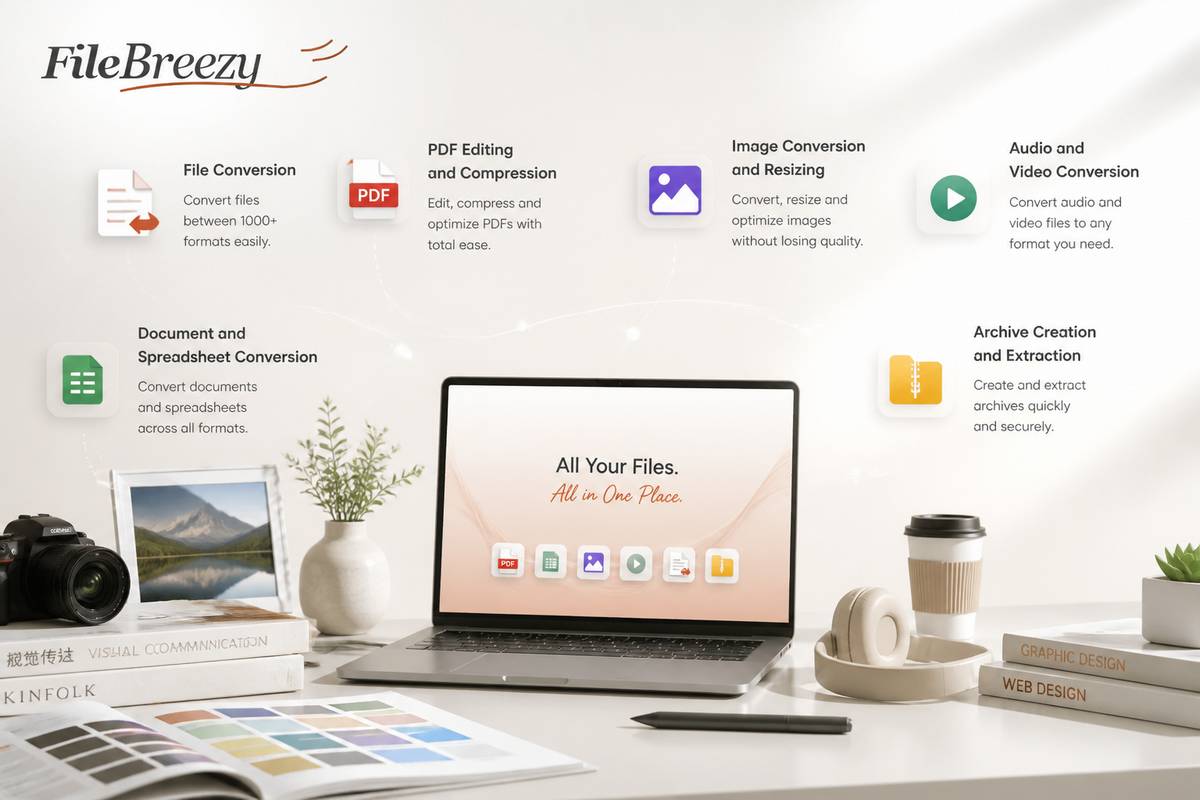
A deeper dive into filebreezy.comCommon questions asked about www.filebreezy.comHow can FileBreezy’s image converter help with design work?Designers often need the same image in different formats for websites, presentations, client previews, or other projects. FileBreezy’s image converter is intended to make that kind of everyday file conversion simple, without adding a complicated step to your workflow. Choose the conversion option that suits your task, then check that the resulting file works for its intended use. Whether you’re preparing an asset for a design handoff or adapting an image for a new project, an online conversion tool can help streamline the process.Which image formats can I convert with FileBreezy?The formats available depend on the specific converter, so check the image converter’s options before starting. If you’re preparing a design asset, consider both the format you have and the format required by the website, application, or person receiving it. FileBreezy brings everyday file tools together in one place, making it easier to find a conversion option for your task. If a particular format isn’t listed, you may need to use another workflow or ask the recipient which alternatives they accept.Can I compress images for a website or design handoff?FileBreezy describes its tools as supporting file compression as well as conversion. Compression can be useful when you’re preparing image assets for a website, sharing files with a client, or keeping project folders manageable. The right balance depends on how the image will be used: a small file may be convenient, while visual detail can matter for portfolio work or print. Review the result before using it in a final design, and keep an original copy when preserving the source matters.Can FileBreezy help me keep design files organized?FileBreezy presents conversion, compression, and organization as everyday file tasks available in one place. That can be helpful when you’re moving between source images, converted versions, and assets prepared for different projects. A practical workflow is to use clear filenames and keep originals separate from exported files, so you can identify the version you need later. The site’s tools can support file organization, but your own folder structure and naming habits remain useful for keeping a larger design project easy to navigate.What should I check before using a converted image in a project?First, confirm that the output format suits the destination, such as a website, design application, or client delivery. Then open the converted image and check that its appearance and dimensions are appropriate for the layout. If you compressed the file, look closely for any visual changes that could affect the finished design. It’s also sensible to retain the original asset until you’re happy with the result. These quick checks help make a simple conversion step more reliable in a designer’s workflow.Some reasons to choose filebreezy.comSimple File ConversionThe company makes everyday file conversion straightforward, helping designers quickly prepare files for different projects and workflows.Useful Image Conversion for DesignersIts conversion tools can help designers adapt images into the formats they need, making it easier to prepare visual assets for sharing and use.File Compression ToolsThe company also offers file compression, giving designers a convenient way to make files more manageable.Tools to Keep Files OrganizedWith file organization included alongside conversion and compression, the company brings practical file tasks together in one place.Everyday Tools in One PlaceThe company combines common file tools in a single destination, helping designers handle routine tasks with convenience. |
|
|||
 designerlistings.org reviewer